

Hello from my home in Toronto!
The Stanley Cup Playoffs are humming along and, thanks to my partners at The Hockey News, I will be getting ready to cover my second-ever Stanley Cup Final. This will be my first real experience, as the last time I went was for the Montreal Canadiens’ portion of the Cup in 2021—and under COVID restrictions, it didn’t quite have that same feel.
This time will be different. I will get to go to both cities (Las Vegas and most probably Raleigh, but maybe Montreal again—we will see). But I will be documenting my costs for this trip. I can tell you right now that I’m super happy Vegas is in from a cost perspective, as hotels are really cheap in Sin City right now. I’m also going through the process of using a trick to get MGM Gold status that will waive the resort fees. I’m unsure if I will be successful on that one because of the two weeks it takes for the Wynn status to take effect, but fingers crossed.
I brought up the travel for a reason. With THN, I made my way to Buffalo to catch some first- and second-round playoff games. During my last two games, I came across a problem that
I’m on a Rogers cell plan that has free roaming in 68 countries, including the United States. Of course, leaving Canada as often as I do, this is a must. But on my last couple of instances crossing the border, I just couldn’t get the data to work well, or at all. I went through prolonged periods of time where it said I was connected to T-Mobile. Data roaming was turned on. I was perplexed. It even indicated I was connected to 5G.
Because I was spending most of my time in an arena with free Wi-Fi, I didn’t stress too much. However, when I was driving around Buffalo with a colleague for lunch and some shopping, I began to get really annoyed.
So of course, I Googled it. I made sure data roaming was set to ‘on’. I reset my phone, and flicked the cellular connectivity on and off, but I still couldn’t figure it out. I definitely did not want to call Rogers technical support.
In my travels, I heard from many colleagues that T-Mobile has terrible coverage. Whether that’s true or not, I have no idea. However, I did know that Verizon was much better.
So here is how I fixed it:
On my iPhone, I went to my cellular settings, entered my network selection settings.
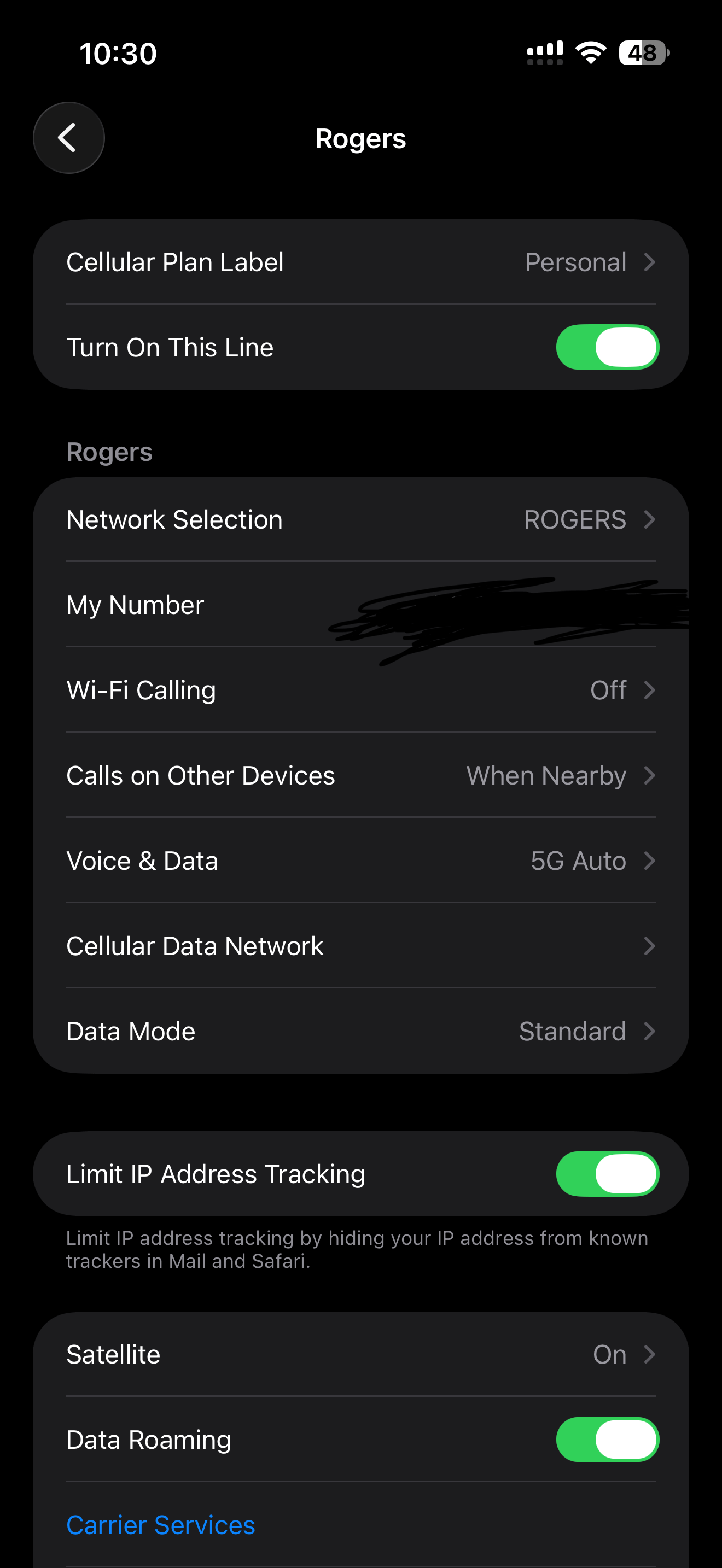
Then I switched off the Automatic toggle.
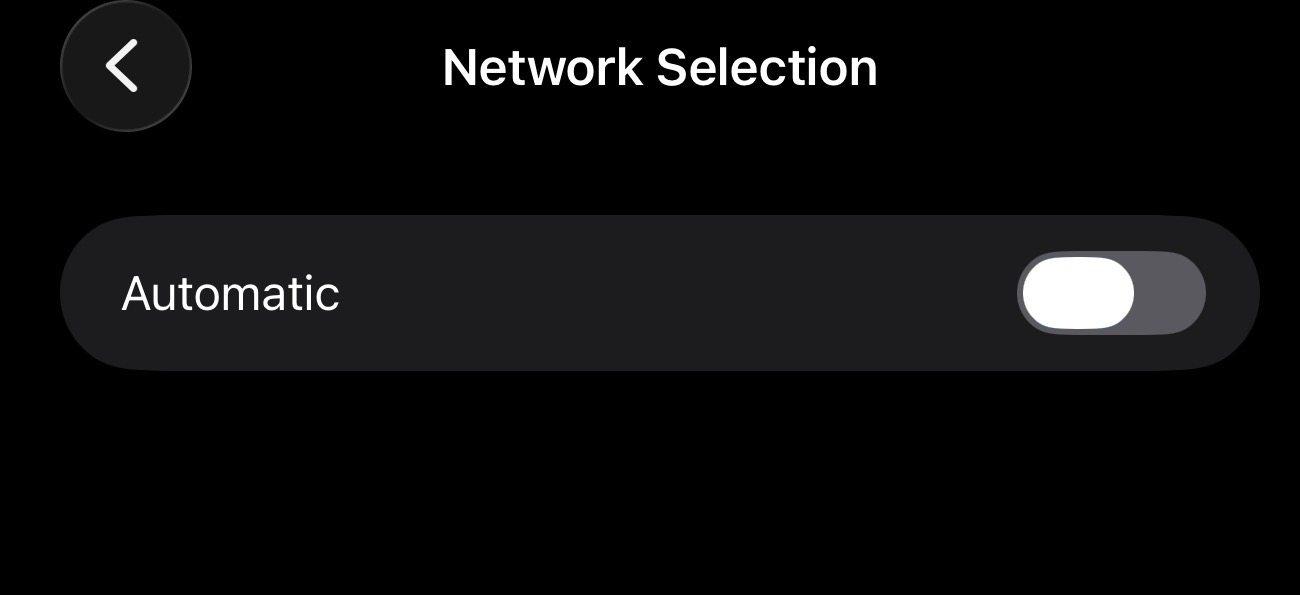
Here’s where I got stuck the first time, and I wanted to communicate this to you: turning off automatic selection doesn’t bring up the manual list of cell towers right away. Sometimes you have to wait about 20 seconds. I initially thought this trick just didn’t work as I am as impatient a person you will ever meet. But surely enough, I saw several options appear.
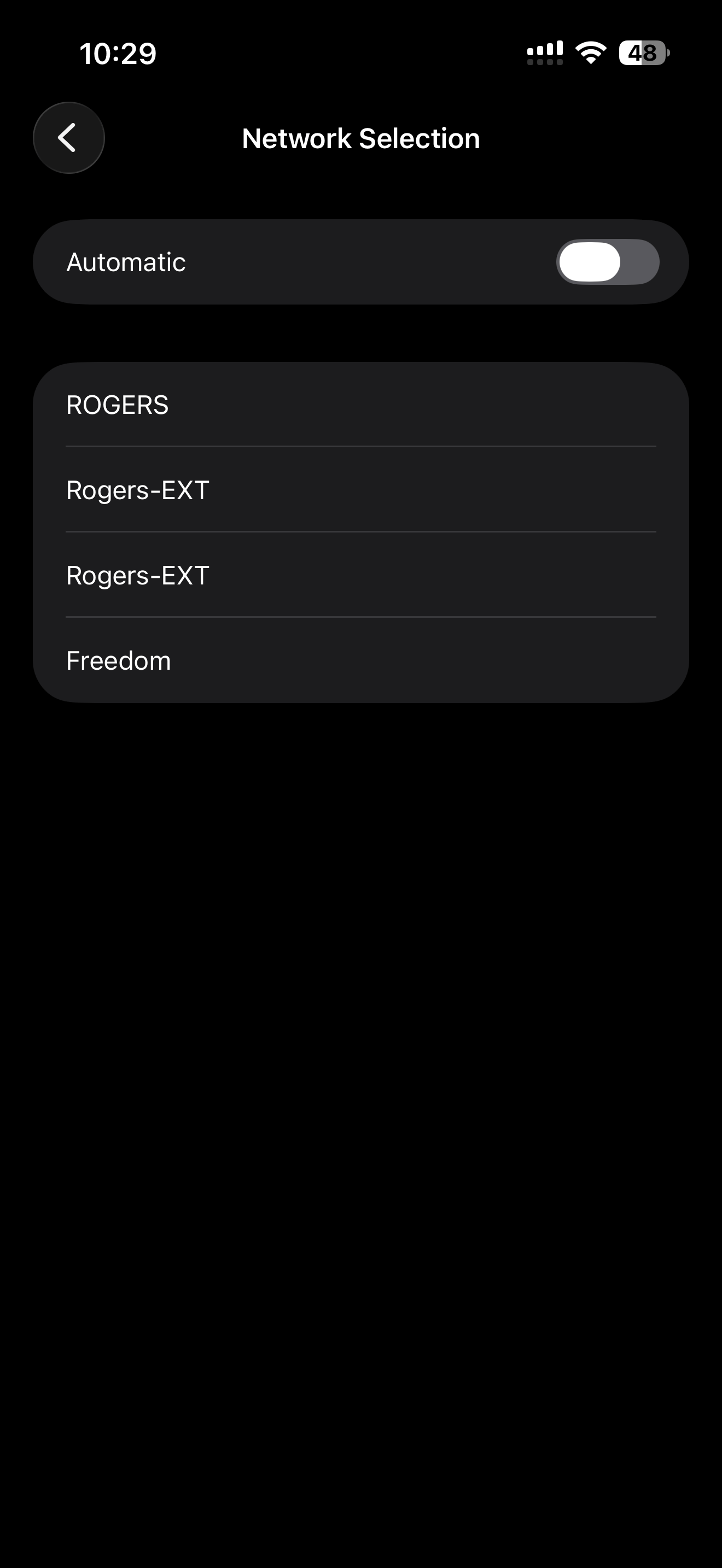
I selected Verizon, and boom—amazingly fast internet and data on my phone that didn’t feel throttled. This was especially helpful in times when the press box Wi-Fi got jammed up, and I had to send live video clips to my clients.
So now you know. If you’ve tried everything and your cellular data is still not working, it could just be that your carrier is automatically logging you on to a terrible tower.
I’m really excited to take you with me to the Stanley Cup. Until next week!